
Install P.A.T.H.: Vietnam on your phone, tablet or computer
I want it to be easy to come back to your tour. Finding the right tab on your phone every time you want to play gets old, so here’s another way in: put P.A.T.H.: Vietnam on your home screen or desktop and open it from its own icon.
You install it through your browser. There’s no App Store or Google Play download to hunt down. It’s the same game I’m building here, with the same Google sign-in and your saved tours.
You need an internet connection to play. Installing the app does not download an offline version of the game.
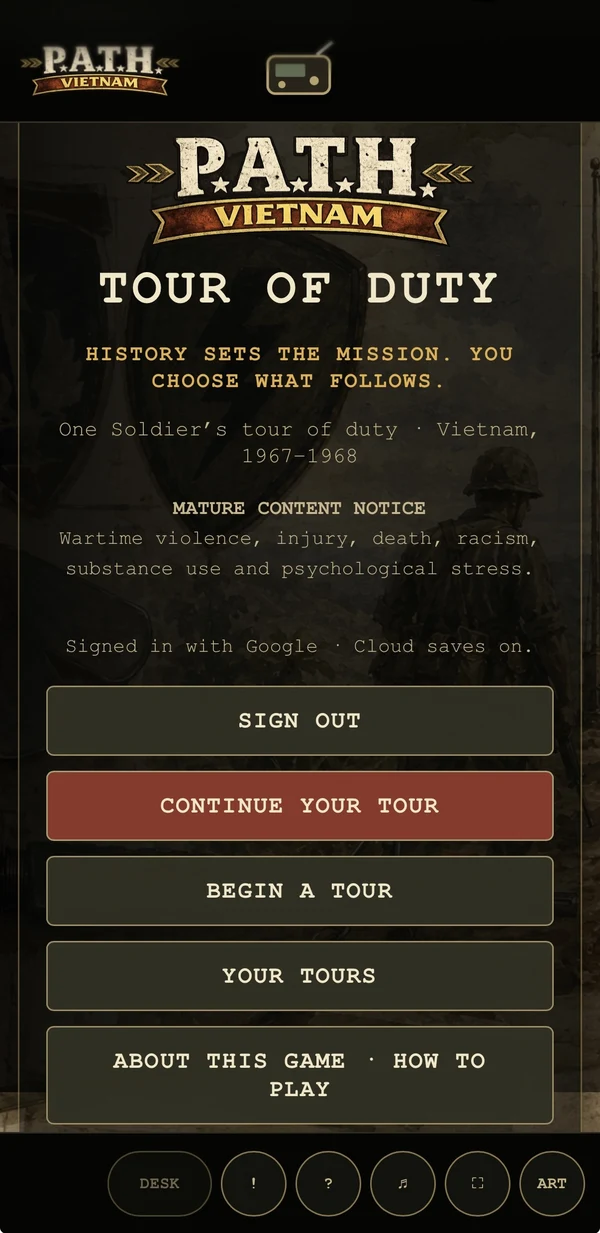
Start here
Open the game in your usual browser and sign in with Google. If you already have a tour, use the account you played with before. Once you reach the game’s opening menu, follow the steps for your device below.
If you came here through Facebook, Instagram or another app, open the link in Safari, Chrome or Edge first. The little browser inside a social app may not offer installation.
iPhone or iPad
Use Safari for these steps.
- With the game open in Safari, tap Share. Depending on your Safari layout, you may need to open the page menu first.
- Find Add to Home Screen. Scroll through the actions if it isn’t immediately visible; you may need View More or Edit Actions.
- If Safari shows an Open as Web App switch, leave it on.
- Check the name, then tap Add.
- Return to your home screen and tap the P.A.T.H.: Vietnam icon.
The app may ask you to sign in again. Use the same Google account. You’re opening the game in a new place; you don’t need to create another soldier just to use it.
Android phone or tablet
Open the game in Chrome, outside Incognito mode.
- Tap the three-dot menu.
- Look for Install and create shortcut, then Install. Some Chrome versions show Install app or put this under Add to Home screen.
- Follow the confirmation on your screen.
- Open P.A.T.H.: Vietnam from its new icon and sign in if asked.
If your browser only offers a shortcut, it may open in a normal browser tab. You can still play that way. The menus vary with the device and browser version.
Windows, or Chrome on a computer
In Chrome, open the game, then the three-dot menu. Choose Cast, save, and share, then Install page as app, and confirm. You may also see an install icon beside the address bar.
In Microsoft Edge, open the three-dot menu, then More tools → Apps → Install this site as an app. Confirm the installation. Edge may also offer an install icon in the address bar.
You can then open the game from your apps list. On Windows, pin it to Start or the taskbar if you want it close at hand.
Mac with Safari
On macOS Sonoma 14 or later, open the game in Safari. Choose File → Add to Dock, check the name and click Add. Safari also offers this through its Share menu.
Open the game from the Dock. If it asks for your Google sign-in again, that’s expected: Safari’s web app has its own browsing session. Chrome’s steps above are another option on a Mac.
Coming back to your tour
Open the icon, sign in if needed, and choose Continue Your Tour. Your Tours is there if you have more than one saved tour to choose from. When changing devices, give the current game time to finish saving before you open it elsewhere. If it reports a connection or save problem, sort that out first.
New here? P.A.T.H.: Vietnam (Pivotal Actions Through History) is my solo narrative RPG set during a soldier’s tour in Vietnam. You begin with LifeP.A.T.H.—Previous Activities, Training, History, building the person who is going to live through that tour. There’s reading, choices, routine, and time with the men around you. The installation just makes it easier to get back to them.
If you get stuck
No install option? Check that you’re using a current browser in a regular window, rather than Private or Incognito mode. The app might already be installed. You can also keep playing at pathvietnam.com/play; installing is optional.
I’d like to hear how this works on the device you actually use. Try installing it, play a little, and leave me a note on Facebook. Tell me the phone or computer, the browser, and where you got stuck. A screenshot helps. If a button is awkward or the text needs work on a smaller screen, tell me that too. That’s useful feedback while I keep building.
Open the game and install it on your device
Internet connection required to play.
Browser instructions
Menus change. These are the browser makers’ instructions if yours looks different: iPhone, iPad, Android Chrome, desktop Chrome, Microsoft Edge and Mac Safari.